
How do I Manage my Subscription?Updated 4 months ago
Login to your account and click "Subscriptions" to make changes.
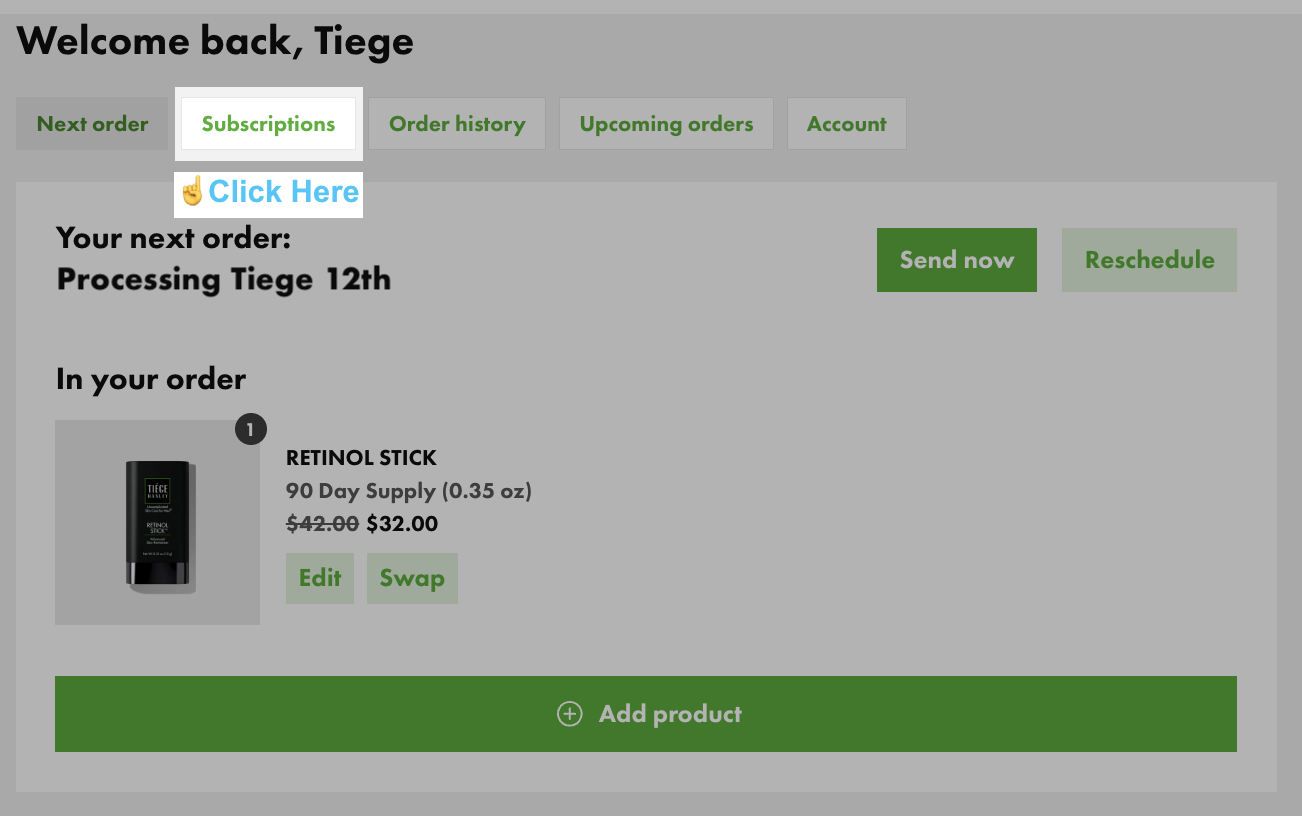
Click the Subscriptions tab to see Active or Inactive subscriptions.
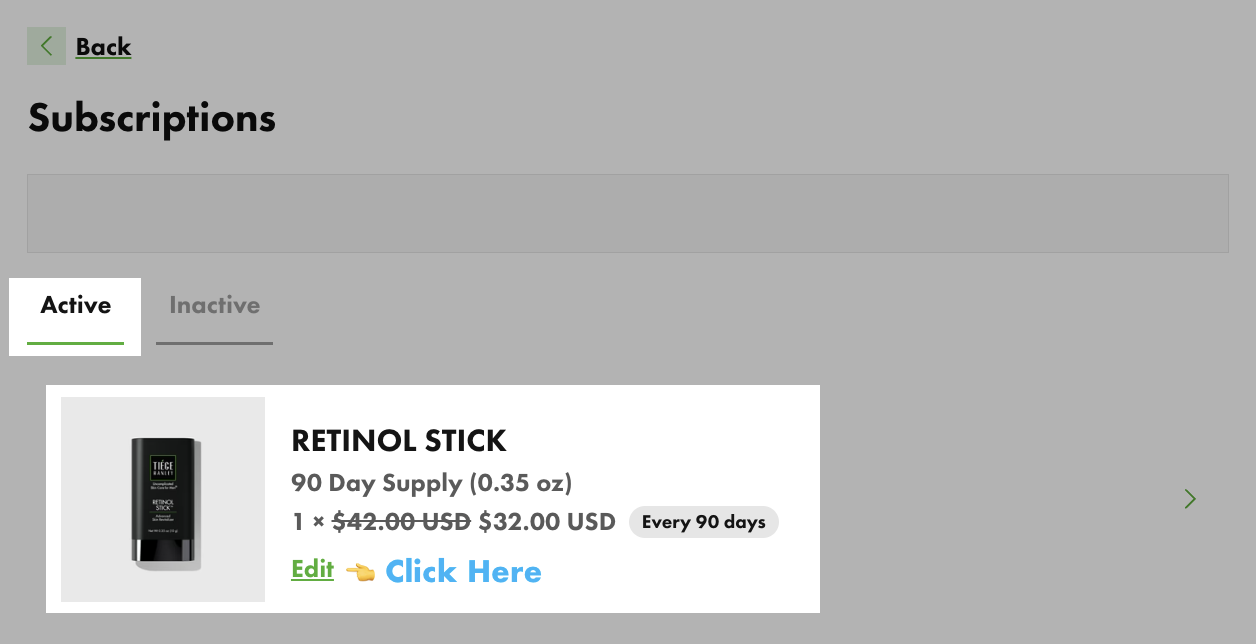
Active subscriptions have an order frequency showing how often they will re-order.
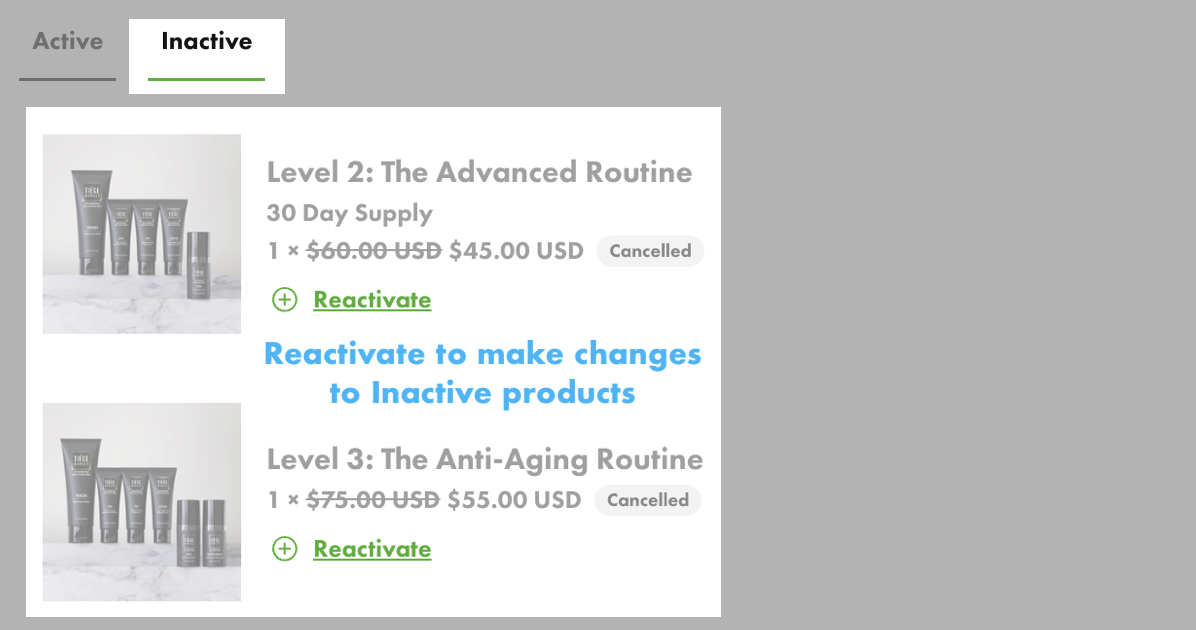
Inactive subscriptions show as cancelled and will not re-order until reactivated.
Click Edit to make changes to Active Subscriptions.
👉 If all subscriptions are Inactive, you will see an error when adding new products, because there is no schedule to sync to. Reactivate to make changes.
Active Subscription Editing
To make changes, click Edit to open up controls.
- Reschedule shows a Calendar. Pick your next order date.
- Skip moves your order date ahead one frequency cycle.
- Frequency sets the days between orders. Reschedule after changing frequency.
- Swap to change one product to another.
- Cancel Subscription stops future orders for that item and moves the product or system to Inactive Subscriptions. Contact us if you have already been charged and need to cancel.
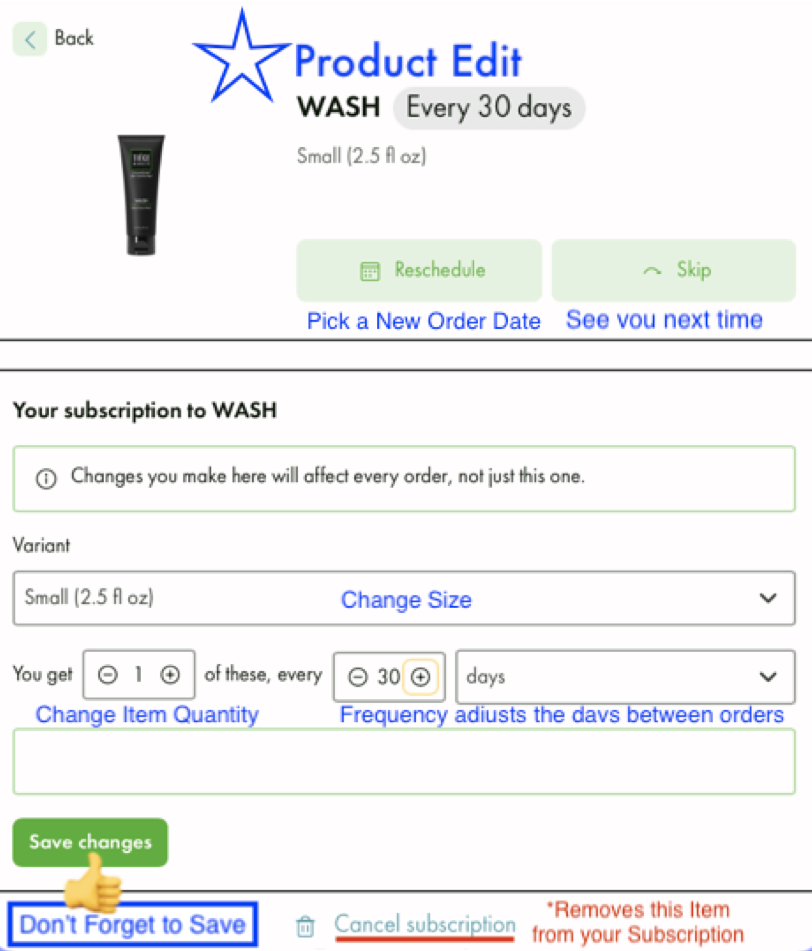

Save changes to Apply Edits